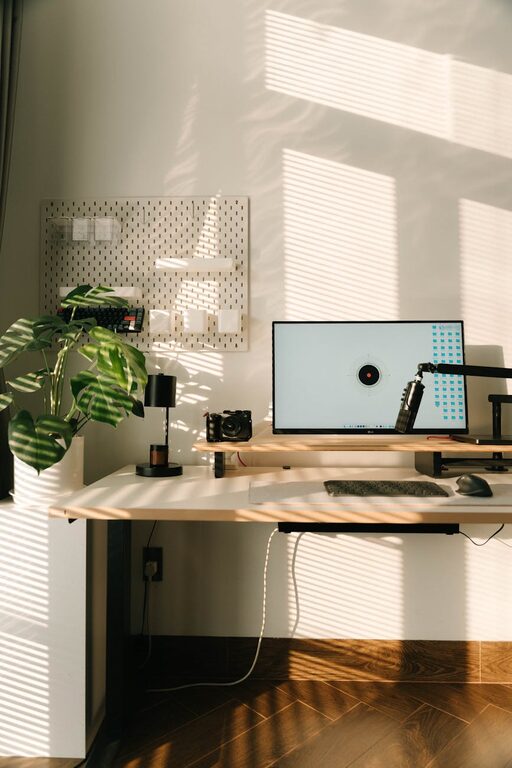

Creating a clutter-free home office space can significantly improve your productivity, reduce stress, and make working from home a more enjoyable experience. Whether you have a dedicated room or a small nook, organizing your workspace effectively is key to maintaining focus and efficiency. In this post, we’ll explore practical tips and ideas to help you design and keep a neat, inspiring home office.
Why Organizing Your Home Office Matters
A cluttered workspace can distract you and make it difficult to find what you need when you need it. By contrast, an organized office promotes better workflow, reduces time wasted on searching for items, and helps you create a professional atmosphere even at home.
Step 1: Declutter and Sort
Before you start organizing, it’s important to clear everything out and decide what you really need.
– Remove Unnecessary Items: Go through all the items in your home office and remove anything you don’t use regularly.
– Sort and Categorize: Group your remaining items by type, such as office supplies, documents, electronics, and personal items.
– Donate or Recycle: If you have old papers, broken equipment, or unused supplies, consider donating or recycling them responsibly.
Step 2: Choose the Right Furniture and Layout
Your furniture and desk layout can either help or hinder organization.
– Opt for a Spacious Desk: Choose a desk with enough surface area to comfortably hold your computer, documents, and essential tools.
– Incorporate Storage Solutions: Desks with built-in drawers or shelves can help keep frequently used items within easy reach.
– Consider Ergonomics: Use a comfortable chair and keep your monitor at eye level to support good posture.
Step 3: Use Storage Wisely
Proper storage is essential for maintaining order.
– Use Desk Organizers: Trays, pencil holders, and small boxes can keep small items like pens, paper clips, and sticky notes tidy.
– Install Shelves: Wall-mounted shelves free up desk space and provide room for books and files.
– File System: Develop a filing system for your documents, either with labeled folders or digital backups.
– Cable Management: Use clips, sleeves, or cable boxes to reduce the mess of wires and cords.
Step 4: Create Zones for Different Tasks
Breaking your office into zones can increase efficiency and limit clutter.
– Work Zone: Your main desk area should be dedicated to your computer and daily tasks.
– Reference Zone: Place frequently used books, manuals, or binders nearby but off your desk.
– Supply Zone: Keep your supplies in a designated drawer or container.
– Inspiration Zone: A small area for personal touches like photos, plants, or motivational quotes can keep your spirits high.
Step 5: Keep Digital Files Organized
Physical clutter isn’t the only challenge; digital clutter can slow you down as well.
– Organize Your Desktop: Keep your computer desktop clean by regularly sorting and deleting files.
– Use Cloud Storage: Store important documents in cloud services for easy access and backup.
– Label Files Clearly: Develop a consistent naming system for your files and folders to find what you need quickly.
Step 6: Maintain Regularly
An organized home office requires ongoing effort.
– Daily Tidying: Spend 5-10 minutes at the end of each workday clearing your desk and organizing any loose items.
– Weekly Review: Each week, review your supplies and files to remove what’s unnecessary.
– Refine Your System: Don’t hesitate to adjust your organization methods if something isn’t working well.
Bonus Tips for Enhancing Your Home Office
– Use Natural Light: Position your desk near a window to boost mood and focus.
– Add Greenery: Small plants can bring life to your office and improve air quality.
– Minimize Distractions: Keep personal items and unrelated devices away from your workspace.
– Personalize Thoughtfully: Customize your space with meaningful décor, but avoid overcrowding.
Conclusion
Organizing a clutter-free home office is an achievable goal that can lead to a more productive and enjoyable work experience. By decluttering, choosing the right furniture, using smart storage, and maintaining your space regularly, you can create an environment that supports your best work every day. Start small, stay consistent, and watch your home office transform into a well-organized haven.
About the Author